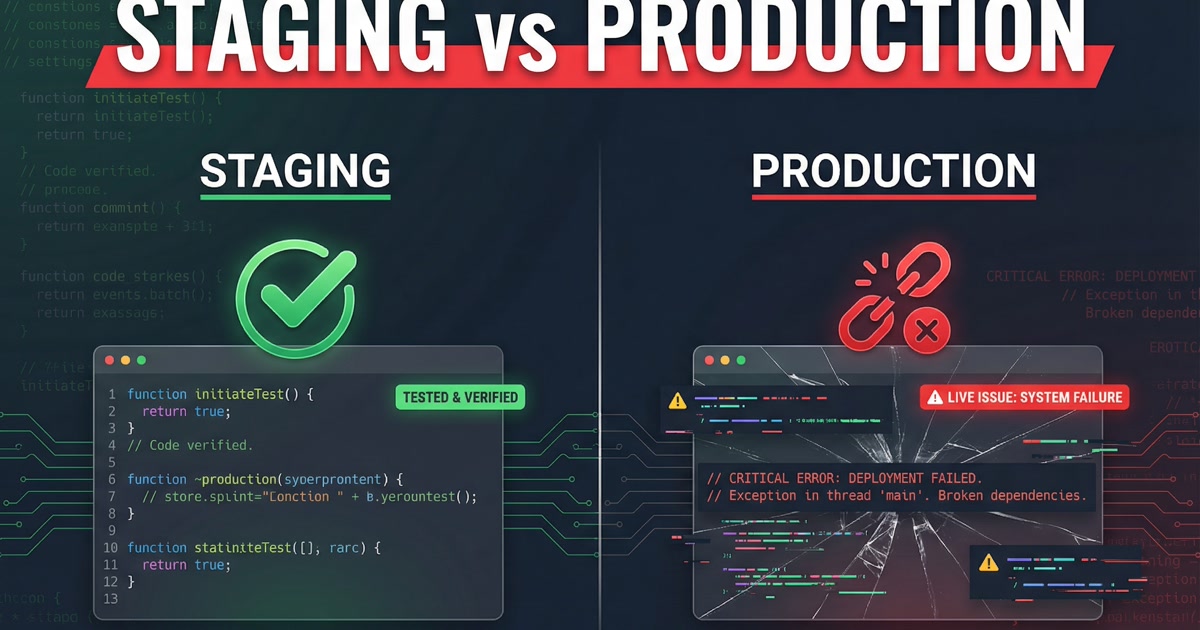
A client launched a new checkout flow on a Friday afternoon. The staging site was perfect. Every button worked. Every form validated. The payment processor accepted test transactions. The team signed off after two rounds of QA.
Within an hour of going live, real customers were hitting errors. The discount code field broke on mobile Safari. Two third-party scripts conflicted in a way that never happened in staging. The payment processor rejected the first real credit card because the production API keys had different rate limits than the test keys.
The staging site and the production site were supposed to be identical. They were not. They almost never are.
Why Staging Lies to You
A staging environment is a copy of production. In theory. In practice, it drifts from production in small ways that accumulate into big problems.
The drift is not intentional. Nobody decides to make staging different from production. It happens gradually. Someone updates a library on staging but the production deploy does not include that update. The staging database has 500 test records. Production has 50,000 real ones. Staging runs on a single server. Production runs behind a load balancer.
Each difference is small. Together, they create a gap between what you tested and what your customers experience.
The Five Gaps
After reviewing dozens of post-launch incidents across client projects, the same five gaps show up repeatedly.
1. Data Volume
Staging databases are small. They have enough data to make pages render and forms submit. They do not have enough data to expose performance problems.
A product listing page that loads in 200 milliseconds with 50 products might take 4 seconds with 5,000 products because the query was not indexed. A search function that returns results instantly with a small dataset might time out when the full production catalog is loaded.
The fix is not to copy your entire production database to staging. That creates its own problems with sensitive data. The fix is to generate realistic test data at production scale. If production has 50,000 products, staging should too. Use synthetic data. Anonymize real data. But match the volume.
2. Third-Party Services
Staging uses test keys and sandbox environments for payment processors, email services, analytics, and CDNs. Production uses live keys with different rate limits, different behavior, and different failure modes.
Stripe's test mode does not throttle requests. Production mode does. SendGrid's sandbox does not bounce invalid emails. Production does. A CDN configured for staging might cache differently than the production CDN because the TTL settings were set once and forgotten.
You cannot fully test third-party integrations without production credentials. But you can document every third-party service, note the differences between test and live configurations, and build a launch checklist that verifies each one.
3. Browser and Device Coverage
QA on staging usually happens on the team's devices. Chrome on Mac. Maybe Firefox. Maybe one iPhone.
Production traffic includes Safari on iOS 15 (which handles flexbox differently). Chrome on Android phones with 360px-wide screens. Samsung Internet, which has its own rendering opinions. Older iPads running iOS 13 that people refuse to update.
The checkout flow that broke on mobile Safari was tested on Chrome's mobile simulator. The simulator renders differently than the actual browser. It did not catch the CSS issue because the simulator does not replicate Safari's handling of fixed-position elements inside scrollable containers.
Test on real devices. Not just simulators. Keep a small library of actual phones and tablets. If you do not have them, use a cloud testing service that runs real browsers. The $50 monthly cost pays for itself the first time it catches a Safari bug before launch.
4. Environment Configuration
Environment variables, server settings, and infrastructure differences between staging and production cause a disproportionate number of launch-day bugs.
Common examples: staging allows CORS from any origin, production restricts it. Staging has debug logging enabled, which masks errors differently than production's error handling. Staging's SSL certificate is self-signed and some scripts behave differently. Staging email sends go to a catch-all inbox, production emails go to real recipients with spam filters.
Automate your environment configuration. Use the same deployment scripts for staging and production with environment-specific variables loaded from a config file. If you manually configure servers, you will forget a setting. It is not a question of if.
5. Caching
Staging is typically set up with caching disabled or reduced so developers see changes immediately. Production has aggressive caching for performance.
This means developers never experience stale content, cache invalidation failures, or edge cases where a page serves mixed versions of CSS and JavaScript after a deploy.
The most common symptom: a deploy goes out, the site looks broken, and someone says "try clearing your cache." If the fix for a broken production site is "clear your cache," your cache invalidation strategy is the bug.
Test with production-level caching enabled on staging. Deploy to staging the same way you deploy to production. If your production deploy invalidates the CDN cache, your staging deploy should do the same thing.
The Launch Checklist
The five gaps above are not solved by better staging environments alone. They are solved by a launch checklist that explicitly accounts for each one.
Before every production deployment:
- Verify the staging database has production-scale data volume
- Confirm every third-party service is switched from test to live keys
- Test on at least three real browsers and two physical devices
- Diff the environment configuration between staging and production
- Run the site with production caching settings and verify a deploy clears the cache correctly
This checklist takes an hour. The incidents it prevents take days.
The Friday Afternoon Part
The checkout flow launched on a Friday afternoon. This made everything worse. The team was heading into the weekend. The developer who built the feature was already offline. The fallback was to roll back, but the rollback script had not been tested.
Launch on Tuesday mornings. Not because Tuesday is special, but because it gives you four working days to handle whatever goes wrong. Friday deploys turn weekend plans into incident response.
The staging site will always look perfect. That is its job. Your job is to know exactly where it differs from the thing your customers actually use, and check every difference before you flip the switch.